
Install the WordPress software theme
Upload the ZIP from Appearance - Themes - Add New - Upload Theme. Activate it and Jeevi creates the public website, secure app, login, pricing, guided demo and support pages.
Use these articles to understand the framework, inspect the demo workspace and plan how Jeevi should be tailored around your marketing operation.
Upload the ZIP from Appearance - Themes - Add New - Upload Theme. Activate it and Jeevi creates the public website, secure app, login, pricing, guided demo and support pages.
Use the dedicated Login page with a WordPress user account. Demo campaigns, content, approvals, assets, social posts, leads and workflows are seeded for inspection.
Administrators can set organization, currency, business units, locations, default client, campaign owner, service levels and client portal settings from Admin Studio.
Capture campaign objective, client, owner, status, budget, channels and dates. Content and leads can be linked back to the same campaign record.
Add content with campaign, type, channel, owner, publish date and status. Use the calendar view to coordinate upcoming delivery across teams.
Track platform, objective, copy, status, schedule and UTM campaign naming before a social post is handed to the publishing system.
Track asset type, brand/client, version, tags, approval state and external DAM or file reference so teams can find the approved source.
Create brand, budget, legal, content or client approvals with a named approver and due date. Record approval or requested changes with a decision note.
Maintain campaign budget and tracked spend. Use integrations where ad platforms or finance systems are the authoritative source for actuals.
Create a handoff record with campaign, source, sales owner, estimated value and status. This creates a feedback loop between demand generation and sales follow-up.
The demo shows spend, attributed revenue, leads, campaign comparison and source distribution. Replace sample values with connected source-system data during deployment.
Assign the Jeevi Client Portal role and client key to a WordPress user to restrict their view to matching campaigns and shared brand assets.
Without an API provider, Jeevi AI returns structured offline planning guidance. Administrators can connect an OpenAI-compatible chat endpoint and model from the secure app.
AI can draft, summarize, repurpose and review, but budgets, material claims, policy exceptions and publishing approvals should retain named human ownership.
Administrators can create workflow templates with named stages, a target SLA and an approval requirement. Extend the framework further during implementation.
The Integration workspace includes CMS, Meta Ads, Google Ads, Analytics, Email, CRM, Canva/DAM, Social, Slack/Teams and Finance starting points.
Authenticated users can read campaign and calendar data from /wp-json/jeevi-marketing/v1/campaigns and /wp-json/jeevi-marketing/v1/calendar.
For each connected field, decide which system owns the authoritative value. Jeevi can orchestrate, enrich and report without silently replacing the source system.
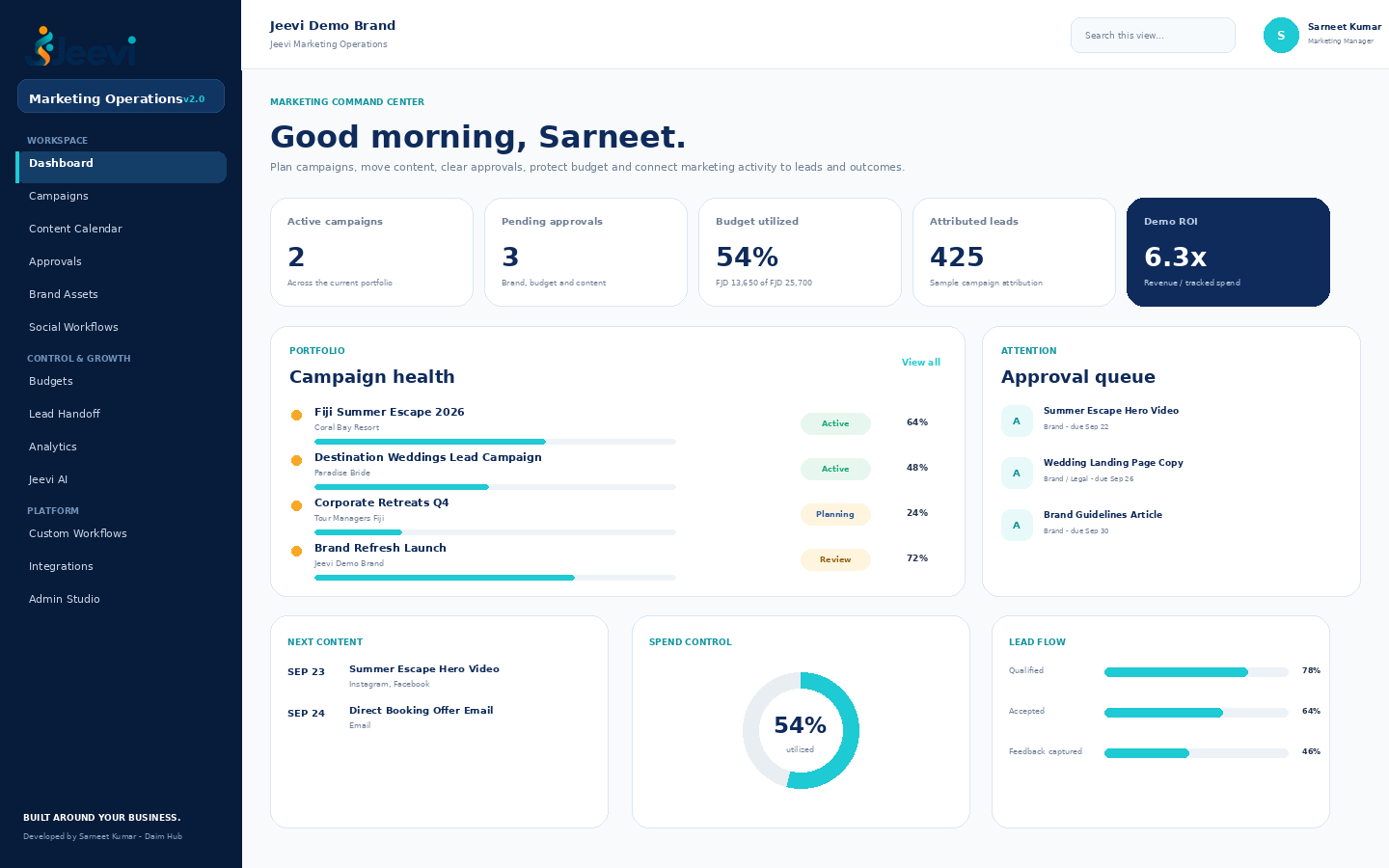
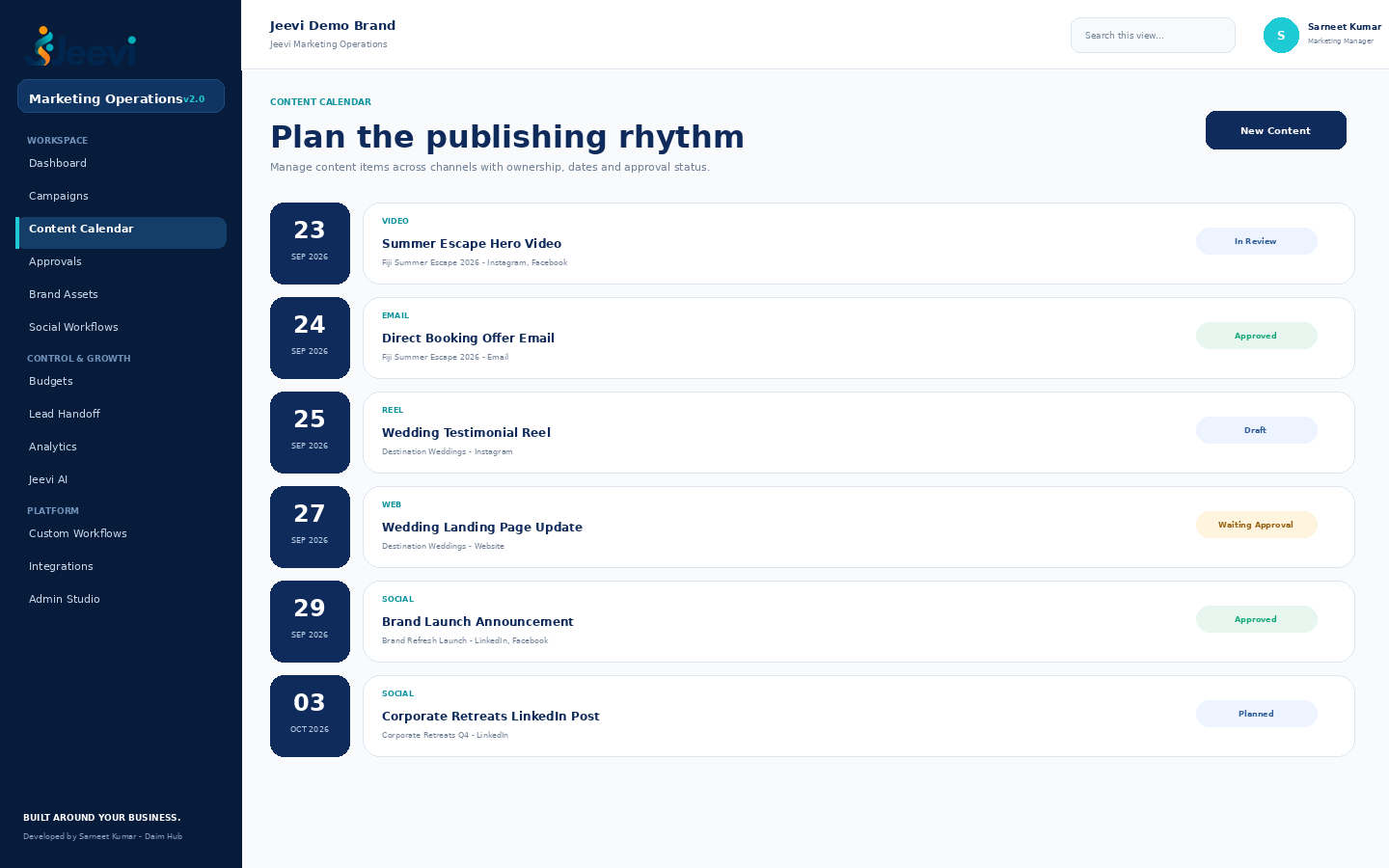
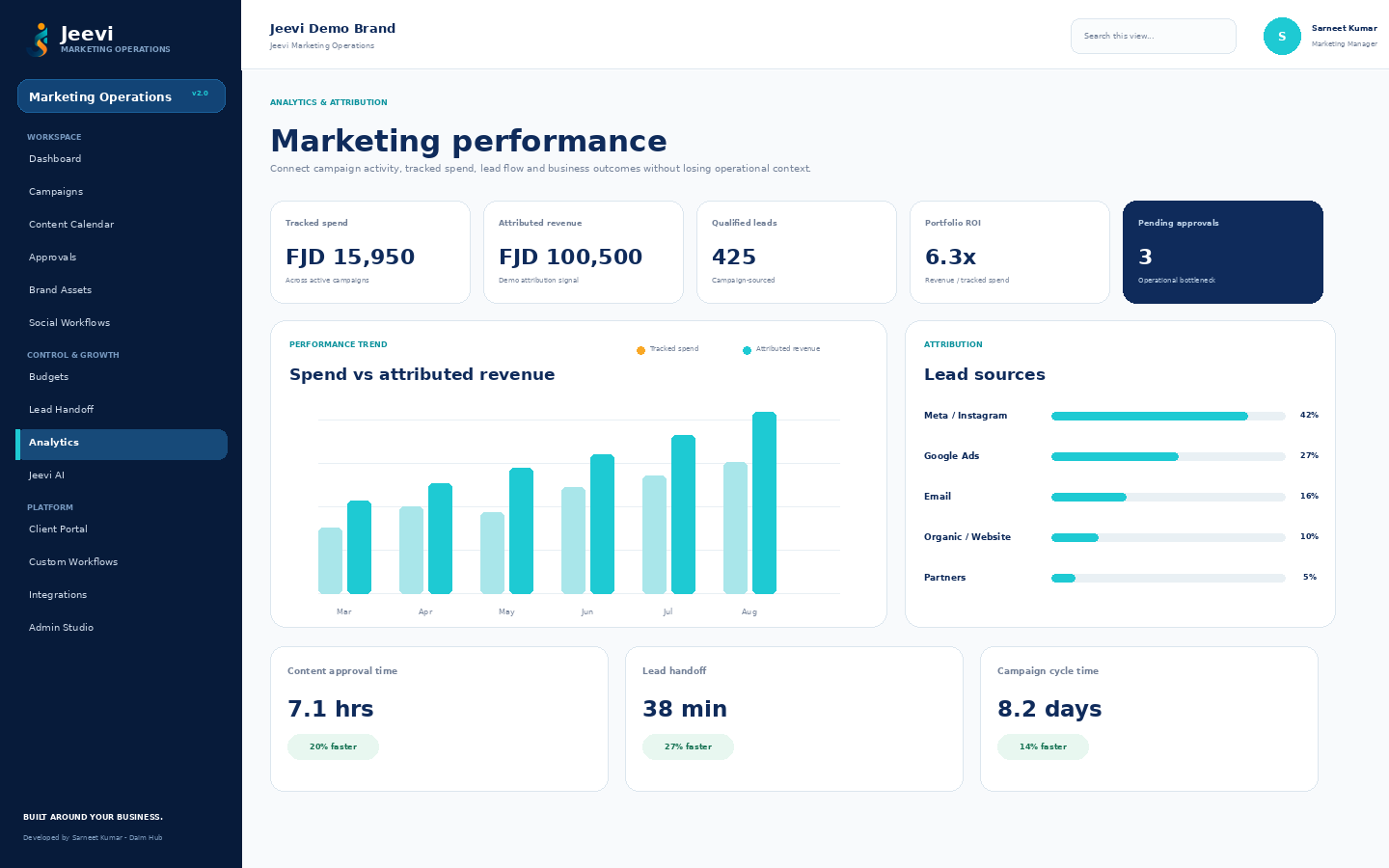
Yes. The framework is intended to be configured around the business. The included views are a strong starting point rather than a requirement to copy one fixed operating model.
Yes. Integration patterns are included for CRM, advertising, analytics, email, CMS, social, creative/DAM and finance systems. The exact connector depends on the customer environment.
Yes. Campaigns and assets include client/brand fields, and the client portal model can be used to restrict external access to matching records.
The v2 framework manages planning, approval, schedule and publishing handoff. Direct publishing depends on connecting an approved social platform API during deployment.
Yes. Discovery can identify new workflows, portals, automations, integrations or a completely new Jeevi application built around the required business outcome.
Request a demo and tell us how campaign requests, approvals, content, budgets, clients and lead handoff work today.